> ## Documentation Index
> Fetch the complete documentation index at: https://docs.subtrace.dev/docs/llms.txt
> Use this file to discover all available pages before exploring further.
# Use Subtrace on Vercel+Next.js
> Monitor network requests in your Next.js app using Subtrace.
Support for Vercel is experimental. We strongly recommend testing it out in your [preview
environment](https://vercel.com/docs/deployments/environments#preview-environment-pre-production) first.
1. Add the `subtrace-next` package to your app:
```bash theme={null}
npm install subtrace-next
```
2. Import the package at the top-level:
```TypeScript theme={null}
// top level file, usually layout.tsx
import "subtrace-next";
```
This will automatically trace all the **outgoing requests** in your Next.js app.
3. Add instrumentation to trace **incoming requests**. In your route.ts files, wrap your route handlers with the `trace` function:
```TypeScript theme={null}
// app/api/foo/route.ts
import { NextRequest, NextResponse } from "next/server";
import { trace } from "subtrace-next";
export const GET = trace((request: NextRequest) => {
const { searchParams } = new URL(request.url);
const name = searchParams.get("name") || "World";
const responseData = {
message: `Hello ${name}!`,
method: "GET",
timestamp: new Date().toISOString(),
query: Object.fromEntries(searchParams.entries()),
};
return NextResponse.json(responseData);
});
```
4. Add the `SUBTRACE_TOKEN` environment variable to your preview/production environments on Vercel:
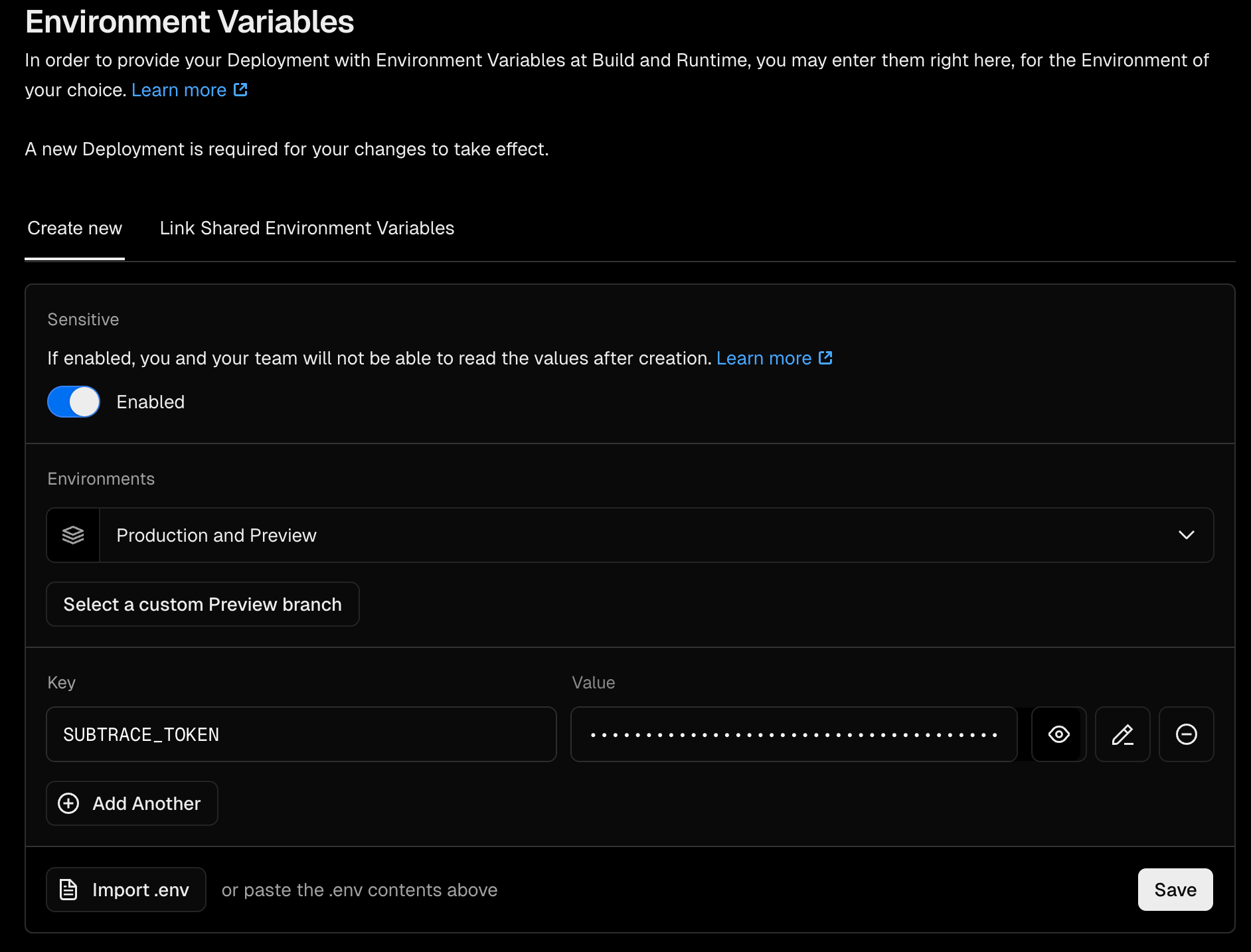 Mark this as a sensitive environment variable.
If you don't have a Subtrace token, you can get one on the **Tokens** page of the [dashboard](https://subtrace.dev/dashboard).
5. Deploy your app as you normally would (eg: with `vercel deploy`)
And that's it! You can see a realtime stream of your app's requests on the Subtrace dashboard.
Mark this as a sensitive environment variable.
If you don't have a Subtrace token, you can get one on the **Tokens** page of the [dashboard](https://subtrace.dev/dashboard).
5. Deploy your app as you normally would (eg: with `vercel deploy`)
And that's it! You can see a realtime stream of your app's requests on the Subtrace dashboard.