> ## Documentation Index
> Fetch the complete documentation index at: https://docs.subtrace.dev/docs/llms.txt
> Use this file to discover all available pages before exploring further.
# Using Subtrace with Flightcontrol
> Integrate your app with Subtrace on Flightcontrol
If you deploy your app using Flightcontrol, you can use Subtrace to monitor all its
requests. Here's how you can get started:
1. Add these lines to your `flightcontrol.json` file under the `target` section:
```json {3-4} theme={null}
"target": {
"type": "fargate",
"linuxCapabilities": {
"add": ["SYS_PTRACE"]
}
}
```
2. Add the `SUBTRACE_TOKEN` environment variable to Flightcontrol:
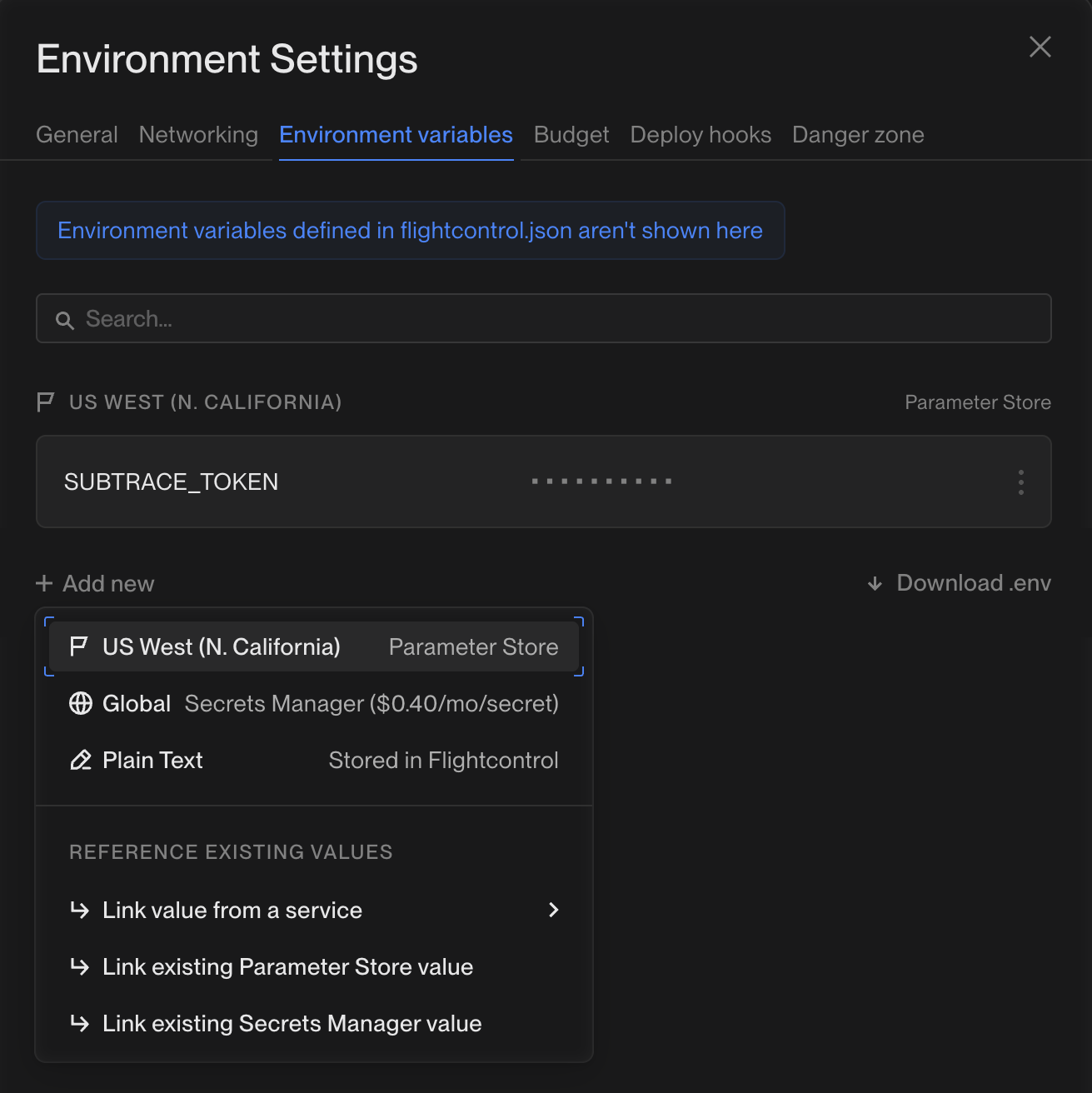 If you don’t have a Subtrace token yet, go to the Tokens page on the [dashboard](https://subtrace.dev/dashboard) and
create a tracer token.
3. Deploy your app as you normally do on Flightcontrol.
If you don’t have a Subtrace token yet, go to the Tokens page on the [dashboard](https://subtrace.dev/dashboard) and
create a tracer token.
3. Deploy your app as you normally do on Flightcontrol.
That's it! You can now visit your app and make some requests to see them automatically appear in the Subtrace
dashboard.