> ## Documentation Index
> Fetch the complete documentation index at: https://docs.subtrace.dev/docs/llms.txt
> Use this file to discover all available pages before exploring further.
# Using Subtrace on Elastic Kubernetes Service (EKS)
> Monitor network requests in your EKS cluster using Subtrace.
If you're using AWS EKS to deploy your app, Subtrace is a great way to monitor your network requests in realtime.
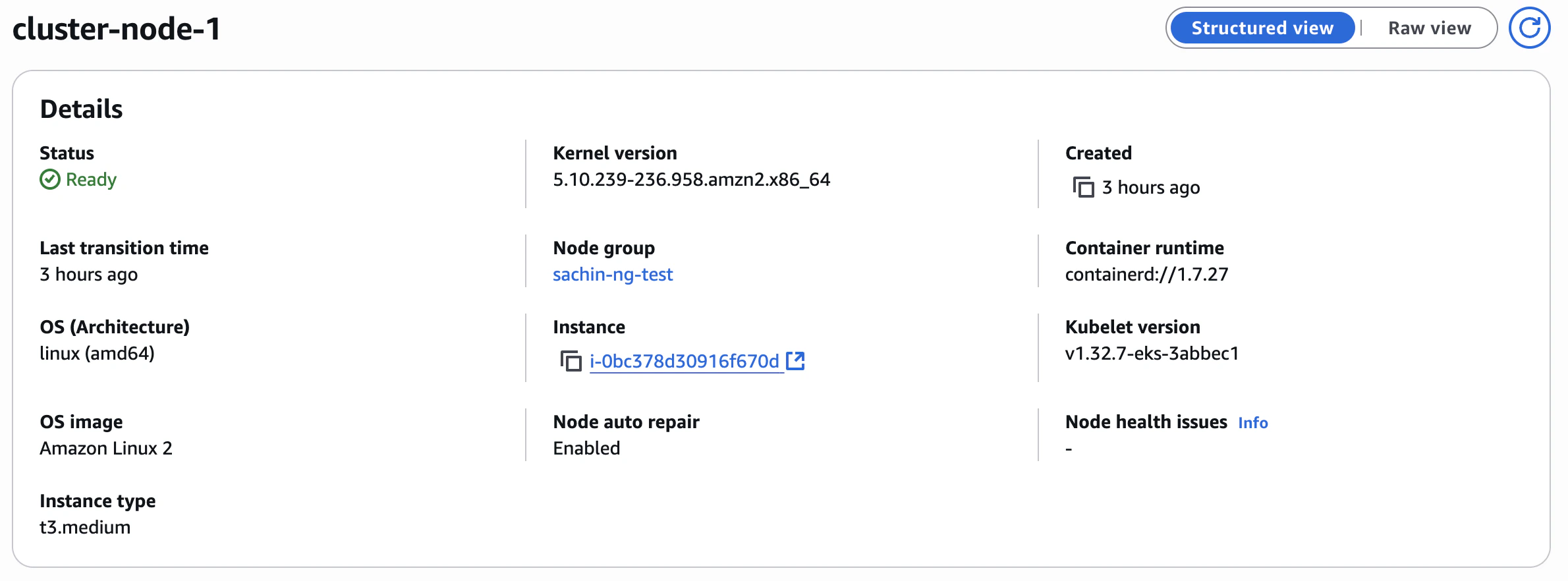
Subtrace requires Linux kernel version 5.9+.
1. Navigate to your cluster in AWS.
2. Under the **Compute** tab, you'll see your cluster's nodes.
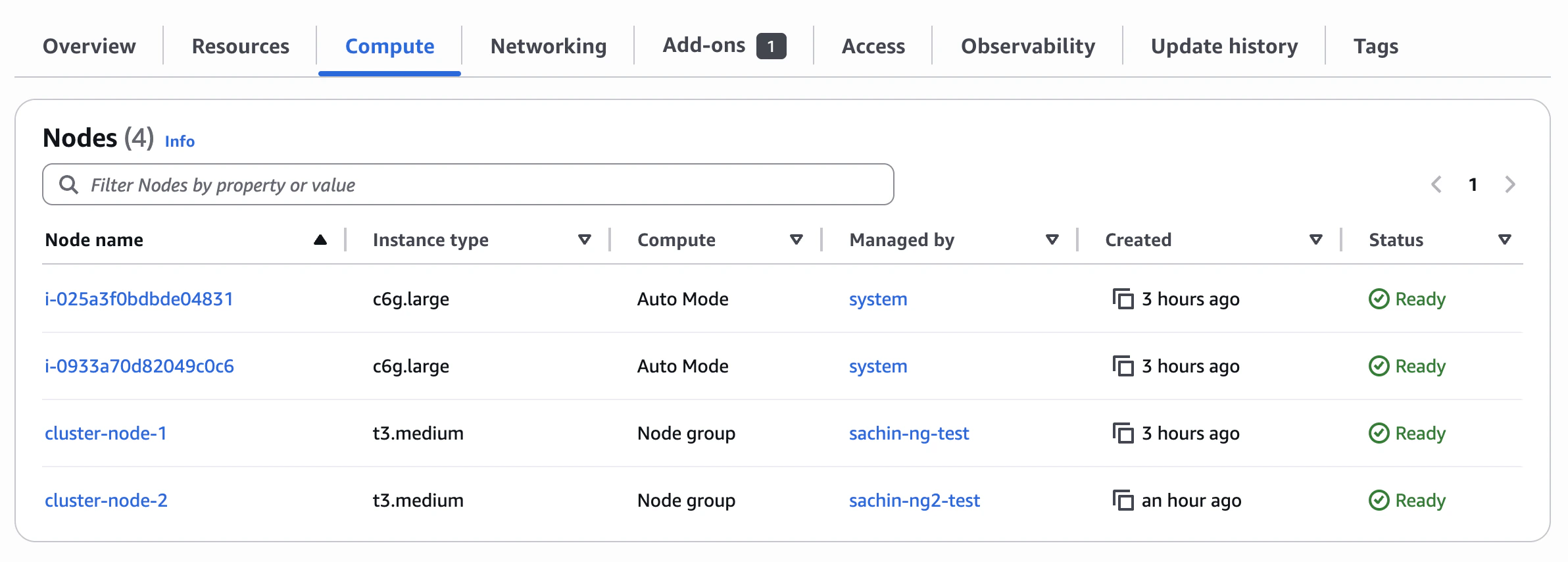 3. Click on the node you're interested in to see the kernel version and the image:
 1. Add Subtrace to your container by making this change to your Dockerfile:
```diff theme={null}
- CMD ["node", "./app.js"]
+ RUN curl -fsSL https://subtrace.dev/install.sh | sh
+ CMD ["subtrace", "run", "--", "node", "./app.js"]
```
2. Build and push your Docker image as usual.
3. Update your Kubernetes pod spec to point to the new image. Here is an example `deployment.yaml` file:
```yaml theme={null}
apiVersion: apps/v1
kind: Deployment
metadata:
name: node-app
spec:
replicas: 1
selector:
matchLabels:
app: node-app
template:
metadata:
labels:
app: node-app
spec:
containers:
- name: node-app
image: USERID.dkr.ecr.REGION.amazonaws.com/node-app:v2
ports:
- containerPort: 3000
env:
- name: SUBTRACE_TOKEN
valueFrom:
secretKeyRef:
name: env-secrets
key: SUBTRACE_TOKEN
securityContext:
capabilities:
add: ["SYS_PTRACE"]
```
Make sure the container has the `SUBTRACE_TOKEN` environment variable in your deployment YAML. Typically, this is done
with a [Kubernetes secret](https://kubernetes.io/docs/concepts/configuration/secret/), but if you're using an external
secret manager, consult its documentation. If you don't have a Subtrace token yet, go to the **Tokens** page on the
[dashboard](https://subtrace.dev/dashboard) and create a tracer token.
Don't forget to set the `securityContext` field in the container spec. Subtrace needs the `SYS_PTRACE` capability in
order to trace your app's requests.
4. Apply your changes to the EKS cluster. You can do this using the AWS CLI:
```bash theme={null}
aws eks update-kubeconfig --name my-cluster --region cluster-region
kubectl apply -f deployment.yaml
```
You can verify that your deployments are healthy in the **Overview** tab for your cluster in AWS:
1. Add Subtrace to your container by making this change to your Dockerfile:
```diff theme={null}
- CMD ["node", "./app.js"]
+ RUN curl -fsSL https://subtrace.dev/install.sh | sh
+ CMD ["subtrace", "run", "--", "node", "./app.js"]
```
2. Build and push your Docker image as usual.
3. Update your Kubernetes pod spec to point to the new image. Here is an example `deployment.yaml` file:
```yaml theme={null}
apiVersion: apps/v1
kind: Deployment
metadata:
name: node-app
spec:
replicas: 1
selector:
matchLabels:
app: node-app
template:
metadata:
labels:
app: node-app
spec:
containers:
- name: node-app
image: USERID.dkr.ecr.REGION.amazonaws.com/node-app:v2
ports:
- containerPort: 3000
env:
- name: SUBTRACE_TOKEN
valueFrom:
secretKeyRef:
name: env-secrets
key: SUBTRACE_TOKEN
securityContext:
capabilities:
add: ["SYS_PTRACE"]
```
Make sure the container has the `SUBTRACE_TOKEN` environment variable in your deployment YAML. Typically, this is done
with a [Kubernetes secret](https://kubernetes.io/docs/concepts/configuration/secret/), but if you're using an external
secret manager, consult its documentation. If you don't have a Subtrace token yet, go to the **Tokens** page on the
[dashboard](https://subtrace.dev/dashboard) and create a tracer token.
Don't forget to set the `securityContext` field in the container spec. Subtrace needs the `SYS_PTRACE` capability in
order to trace your app's requests.
4. Apply your changes to the EKS cluster. You can do this using the AWS CLI:
```bash theme={null}
aws eks update-kubeconfig --name my-cluster --region cluster-region
kubectl apply -f deployment.yaml
```
You can verify that your deployments are healthy in the **Overview** tab for your cluster in AWS:
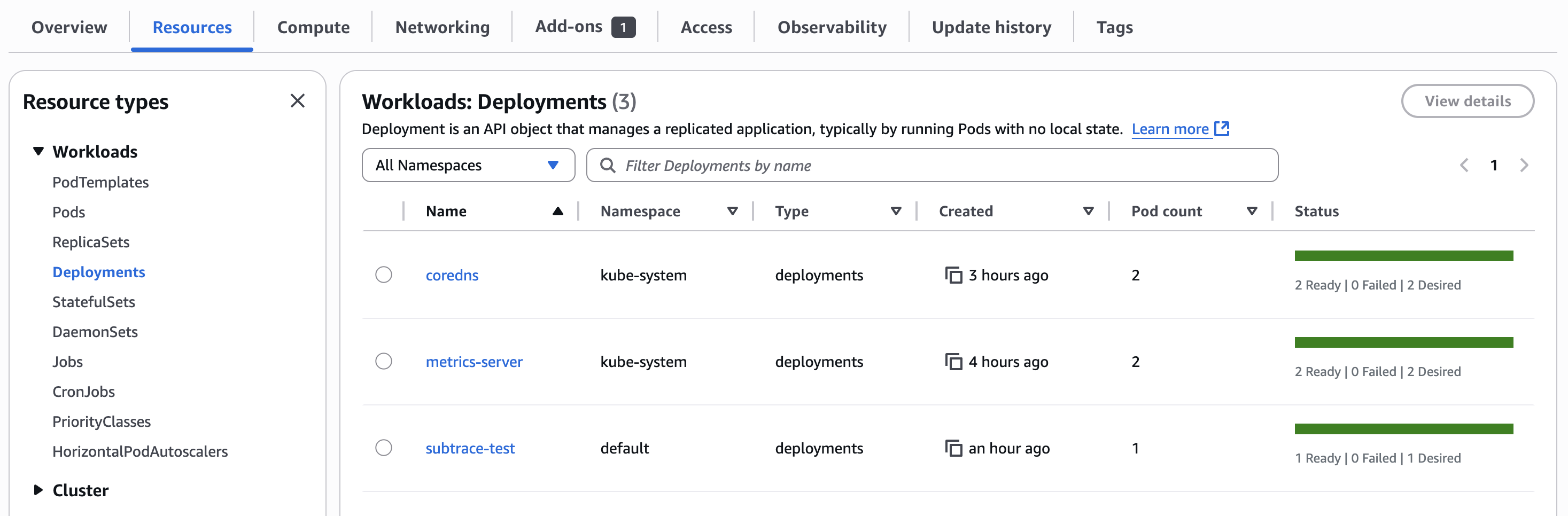 And that's it! You should now be able to see your pod's HTTP requests on the Subtrace dashboard.