> ## Documentation Index
> Fetch the complete documentation index at: https://docs.subtrace.dev/docs/llms.txt
> Use this file to discover all available pages before exploring further.
# Dashboard
> See your app's requests on the Subtrace dashboard
This guide assumes that your app is deployed on a Linux machine. If your app
is running on macOS, see [here](/docs/macos).
Here's what you'll see when you log in to the Subtrace
[dashboard](https://subtrace.dev/dashboard) for the first time:
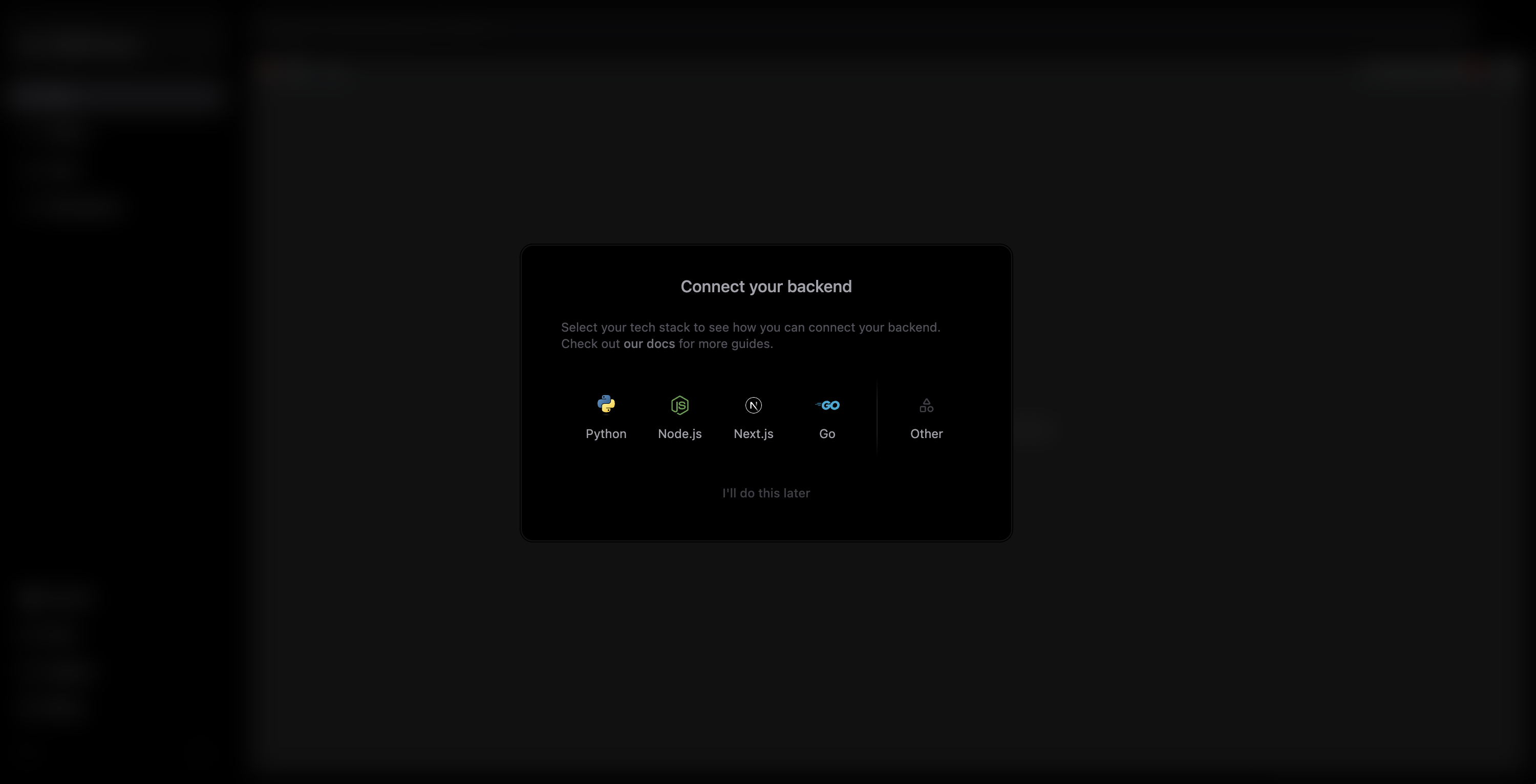 Choose the backend that you're using and follow the instructions to start your
app with Subtrace.
Choose the backend that you're using and follow the instructions to start your
app with Subtrace.
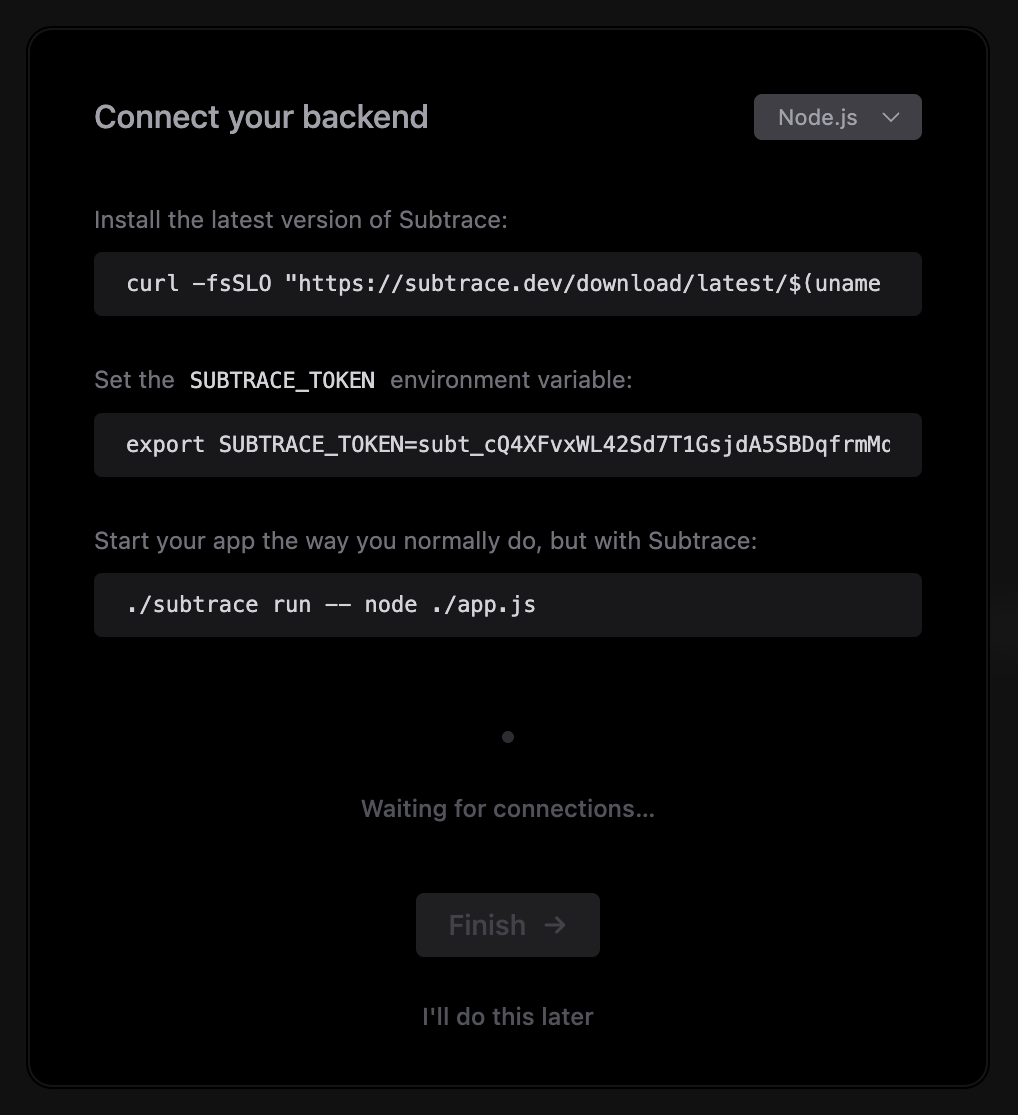 Subtrace automatically detects when you've started your app:
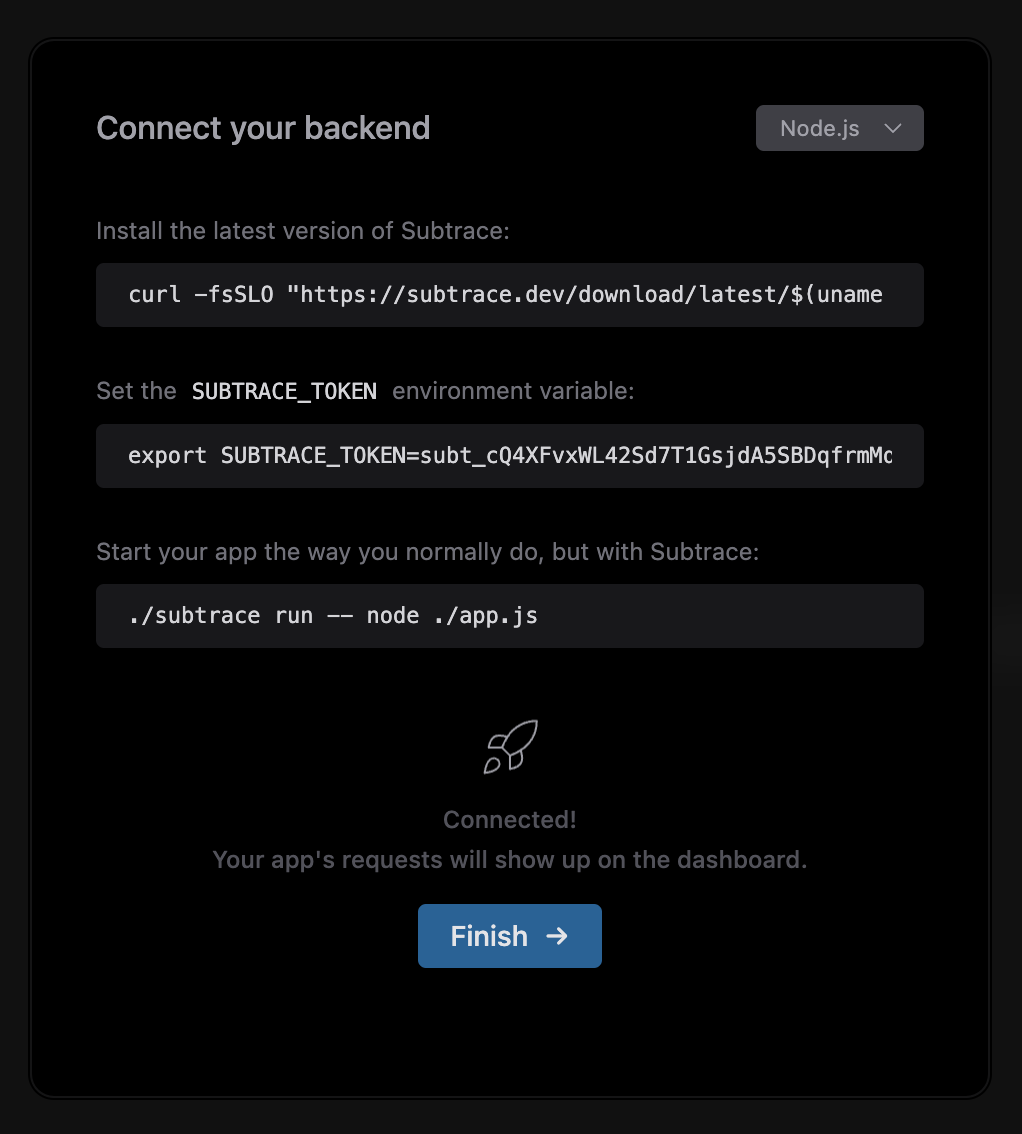 And that's it! You can hit "Finish", and send some requests to your app to see them
show up in realtime.
Absolutely! Subtrace supports every language and framework out of the box.
You can select "Other" as your tech stack in the setup for generic
instructions on how to use Subtrace with any backend.
You can still set up your app with Subtrace. Check our guides for your
specific backend.
If you'd like to see the setup instructions again, simply refresh the page.
Verify that:
* Your app is running with `subtrace run -- my-app`
* The `SUBTRACE_TOKEN` env var is set (check with `echo $SUBTRACE_TOKEN`)
* Your app is running on a Linux machine. If you're using macOS, see [here](/docs/macos)
If these don't solve your issue, reach out to [support@subtrace.dev](mailto:support@subtrace.dev).
We're happy to help!
And that's it! You can hit "Finish", and send some requests to your app to see them
show up in realtime.
Absolutely! Subtrace supports every language and framework out of the box.
You can select "Other" as your tech stack in the setup for generic
instructions on how to use Subtrace with any backend.
You can still set up your app with Subtrace. Check our guides for your
specific backend.
If you'd like to see the setup instructions again, simply refresh the page.
Verify that:
* Your app is running with `subtrace run -- my-app`
* The `SUBTRACE_TOKEN` env var is set (check with `echo $SUBTRACE_TOKEN`)
* Your app is running on a Linux machine. If you're using macOS, see [here](/docs/macos)
If these don't solve your issue, reach out to [support@subtrace.dev](mailto:support@subtrace.dev).
We're happy to help!